USPS Smart Lockers: Secure, Keyless Parcel Lockers for Convenient Package Delivery and Returns
Located in Post Office lobbies, Smart Lockers allow customers to pick up or drop off packages using QR codes, bypassing retail lines and providing flexible access. They support direct deliveries, returns, redeliveries, and oversized PO Box packages, enhancing shipping options for both merchants and recipients.
What are USPS Smart Lockers?
USPS® Smart Lockers are electronic, keyless parcel lockers located at Post Offices™ that provide a free, secure, and convenient package delivery and returns alternative for both package recipients and shippers. Smart Lockers currently support direct-to-locker deliveries, returns and redeliveries, and oversized PO Box™ packages. These features let customers bypass the retail line and conveniently pick up or drop off their packages right at a Smart Locker.
USPS Smart Lockers Locations
USPS Smart Lockers are placed in Post Office lobbies, giving many package recipients 24/7 access to retrieve their package. Lobby hours are included in the pickup email notification.
To see a list of active locker locations, please visit the Locker Location Page.
Picking Up from USPS Smart Lockers
- You will receive a notification email when a package addressed to you has been delivered to a Smart Locker. This email includes the address and hours of the Post Office where the Smart Locker is located, a one-time pickup QR Code or access code, and pickup instructions.
- Visit the Post Office at a time that is convenient to you and use the Smart Locker QR code or access code from your email to open the locker compartment and retrieve your package.
- You will receive a final email confirming that the package has been picked up.
The package is held in the locker for 5 calendar days; you are sent reminder emails every day during that time. After 5 days, your package is removed from the Smart Locker and held at the Post Office retail window for 10 more days. You can bring an acceptable form of identification to the retail counter during operating hours to pick up your package. See the article What are the Second and Final Notice and Return Dates for Redelivery? for a complete list of mail retention periods.
After Hours Access
After Hours Access is a free service that provides you with a safe and secure way to access lobbies to retrieve packages delivered to a Smart Locker that do not have 24-hour public access. A secure system with a Smart Locker QR code reader and keypad is placed at the lobby entrance and grants access to the locked lobby after normal business hours using the same QR code you received to access your Smart Locker.
Select Post Office™ locations have After Hours Access and are listed at USPS.com.
If your package is held at a Smart Locker at an After Hours Access location, the notification and reminder emails include the After Hours Access times. These are typically under your Smart Locker QR Code or access code in the email.
Shipping to USPS Smart Lockers
You can ship a package to a Smart Locker by using Click-N-Ship® (CNS) to create a shipping label or using Self-Service Kiosks (SSK) located in your local Post Office™.
For CNS: If the recipient has a Smart Locker location near them, you will be able to choose "Ship to Locker" during the checkout process and enter the recipient's email address. Your package will be delivered to the selected Smart Locker location and the recipient will receive an email with the QR Code to open it.
For SSK: Select the "Mail Letters or Packages" prompt on the Self-Service Kiosk screen. If the destination ZIP Code™ has a Smart Locker location nearby, the "USPS Smart Locker" screen will appear. If you select "Yes" to ship to a Smart Locker, you will be asked to enter the recipient's name, email address, and phone number. Your package will be delivered to the selected Smart Locker location and the recipient will receive an email with the Smart Locker QR Code or access code to open it.
Redelivery to USPS Smart Lockers
You can schedule a Redelivery to a Smart Locker by visiting www.usps.com/redelivery. If your local Post Office has a Smart Locker available, you'll see it listed as an option when you submit your redelivery request.
Note: Redelivery is only available at your local Post Office. You cannot schedule a redelivery for another location.
See Redelivery - The Basics for more information on requesting a Redelivery and other details about the application.
USPS Smart Locker Deliveries in Informed Delivery®
Informed Delivery subscribers that have a package for USPS Smart Locker delivery will see the following information in your Daily Digest email:
- The email address associated with the package must match the email address for your Informed Delivery account.
- Tracking information beginning when the package is within 3 days of delivery.
- Indication that the package has been delivered to a locker.
- A one-time use Smart Locker QR Code to open the locker.
- The QR Code will be displayed in the Daily Digest until the package is picked up from the locker.
- The QR Code will expire after 5 calendar days. After 5 days, your package will be removed from the Smart Locker and held at the Post Office retail counter for retrieval during their normal business hours. See below for information on picking up packages from a USPS Smart Locker or retail counter and the article What are the Second and Final Notice and Return Dates for Redelivery? for a complete list of how long packages are held at Post Offices.

Shipping from USPS Smart Lockers
Shipping Returns Packages from USPS Smart Lockers
When you have a Label Broker QR code for a Return item, you can scan it at the Smart Locker to print a shipping label, attach the label to your package, and then scan the newly applied label to place the package into an available compartment.
USPS Local XChange
What is USPS Local XChange™?
USPS Local XChange is a new feature that connects local online marketplace and offline sellers and buyers, letting them arrange for drop-off and pickup of items securely without in-person meetups: saving time, reducing risk, and adding peace of mind.
How do USPS® Smart Lockers enable USPS Local XChange?
As a keyless, self-service pickup solution, USPS Smart Lockers ("Smart Lockers") allow online marketplace and offline sellers and buyers to exchange packages at a secure post office Smart Locker location with no in-person meet-ups.
How does USPS Local XChange work?
USPS Local XChange Process|
Step 1
|
Step 2
|
Step 3
|
Step 4
|
Step 5
|
|---|
|
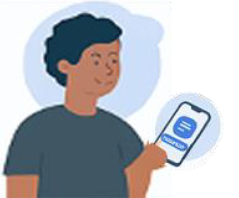
Seller posts item for sale on an online exchange marketplace of their choice.
|
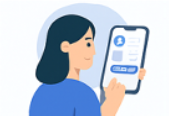
Buyer purchases seller's item. Buyer and seller agree on USPS Smart Locker as pickup option.
|
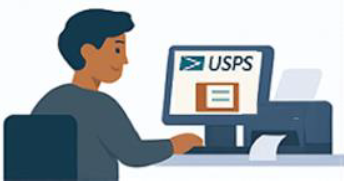
Seller visits USPS.com and use Click-N-Ship® to select a Smart Locker as a drop-off location and generates a Label Broker QR Code.
|
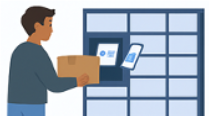
Seller scans the Label Broker QR Code at the Smart Locker Kiosk to print and apply the shipping label. Seller deposits item at the Smart Locker.
|
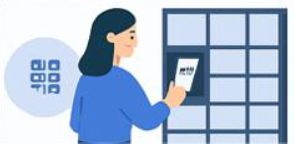
Buyer receives a pickup notification email and arrives at the Smart Locker location. Buyer scans the Smart Locker pickup QR Code at the Smart Locker Kiosk and retrieves the item from the locker.
|
If I'm the seller, how do I use USPS Local XChange?
- The seller completes their transaction, including any payment, with the buyer. This includes the buyer providing the seller with the buyer's name and email address
- The seller goes to https://usps.com/smart-lockers/local-xchange.htm to find a Smart Locker location agreeable to both the seller and the buyer.
- The seller clicks on the "Exchange at this Locker" button signs into their USPS.com account, confirms the Smart Locker location and enters buyer's contact information.
- Note: Please confirm that the contact information is correct. Once entered and submitted, contact information cannot be edited.
- The seller agrees to terms of use and package restrictions and pays the applicable fee.
- After checkout, seller downloads the provided Label Broker QR code.
- The seller takes their package and Label Broker QR code to the Smart Locker location.
- Note: This Label Broker QR code can ONLY be used at the Smart Locker kiosk.
- At the Smart Locker kiosk, the seller scans the Label Broker QR Code to print the shipping label and applies it to the package.
- The seller follows instructions on the screen, places the package inside the Smart Locker compartment, and closes the compartment door.
If I'm the buyer, how do I use USPS Local XChange?
- The buyer completes the purchase with the Seller and gives them their name and address.
- The buyer looks for a pickup notification email with the Smart Locker pickup QR code and instructions. That email is automatically sent to the buyer after the seller places the item inside the Smart Locker compartment.
- Buyer arrives at the Smart Locker location and scans the Smart Locker pickup QR code at the Smart Locker kiosk. The compartment door opens, and the buyer is able to retrieve their item.
Are there any restrictions on items that may be placed in the Smart Locker?
The following items are ineligible for delivery via Local XChange:
- Cremated Remains
- Live Animals
- Day Old Poultry
- Perishables
- Any HAZMAT items affected by extreme temperature (volatile chemicals, etc.)
- Items classified as "Restricted Matter" in Publication 52.
- Note: Sharp objects and nonhazardous liquids or powders are permitted as long as they are packaged in accordance with the DMM and Publication 52.
- Anything that wouldn't be mailable through the US Postal Service, like mercury or fireworks. See USPS.com for a list of domestically prohibited items.
How much does USPS Local XChange cost?
There is a flat fee charged for each package equal to the prevailing published price for a USPS Connect Local Flat Rate Box, regardless of size or weight ($5.51 per package as of 6/29—for current prices, refer to Notice 123).
Does the item need packaging?
Yes. Items must be packaged in a box or polybag, meet all applicable DMM and Publication 52 requirements, and fit within the Smart Locker compartment.
Does the item need a label?
Yes. Items must be properly packaged in a box or polybag and the USPS Local XChange label must be placed on the packaging before it is placed into the Smart Locker compartment.
Does the label need to be pre-printed before arriving at the Smart Locker?
No. Sellers can scan the Label Broker QR code to print the label at the Smart Locker kiosk.
What is the maximum allowed package size in a Smart Locker?
The maximum compartment size varies by Smart Locker. When you generate your label in Click‑N‑Ship, it will display the maximum dimensions allowed for the locker you selected. The maximum weight allowed for any package is 70 lbs.
What if the package doesn't fit the compartment?
The Smart Locker will allow the seller to switch to a larger available compartment if the package doesn't fit the assigned one. If it still doesn't fit the largest available compartment, the seller can request a refund through the Click‑N‑Ship application. See Click-N-Ship® - The Basics for steps on requesting a refund for unused labels.
Can an unused USPS Local XChange label be refunded?
Yes. The seller can request a refund of the unused label by logging back into their USPS.com account and request a refund through the Click-N-Ship application. See Click-N-Ship® - The Basics for steps on requesting a refund for unused labels.
- Note: The USPS Local XChange label will not be eligible for a refund once it has been scanned at the Smart Locker kiosk.
How is the buyer notified when their package is dropped off at the Smart Locker?
Once the item is dropped off, a pickup notification email with a pickup QR code and instructions is automatically sent to the buyer.
Does the pick-up QR code come by email or text?
The pickup QR code and notification are sent to the buyer's email address. There is no support for text-based notification.
How long will the item stay in the locker?
Buyers have 5 calendar days to use their Pickup QR Code to retrieve their package from the Smart Locker. After that, the package will be removed by a postal clerk and held at the retail counter. Buyers have 10 more calendar days to pick up the package from the retail counter during normal business hours (acceptable photo ID must be presented). 15 days after initial notification, the package will be treated as Undeliverable as Addressed, and the Postal Service will attempt to mail the package back to the seller.
Can the Seller and Buyer have the same contact info?
No. USPS Local XChange is designed for an exchange between two different people (seller and buyer).
Unable to Open USPS Smart Lockers
Assistance with USPS Smart Lockers
If you didn't receive a Smart Locker QR Code, check your deleted or junk email folders in case the pickup notification was deleted or filtered. If it is still not found, you can visit the Post Office during retail hours for assistance retrieving your package from the Smart Locker or call 1-800-ASK-USPS to have the email re-sent.
If the Smart Locker QR Code isn't being scanned, increase your phone's screen brightness and make sure the screen is clean and undamaged. If it still won't scan, you can manually enter the six-digit access code listed below the QR code and follow the prompts on the Smart Locker screen to retrieve the package.
If the Smart Locker QR Code and access code are not working, a USPS employee at the locker location can assist you during retail hours.
Unable to Be Picked Up from or Delivered into USPS Smart Lockers
I can't pick up my package from a USPS Smart Locker
You have 5 calendar days to pick up your package from a locker. If you are unable to pick up your package by that time, you may share your Smart Locker QR Code with a trusted individual to pick up the package on your behalf.
If the package is not picked up by the end of the 5th calendar day, the item will be removed from the locker and taken to the Post Office retail window. You will receive an email notification stating that the package must be picked up at the retail window and you will need to provide an acceptable form of identification. If you signed up for text tracking notifications, you will receive text messages as well.
See the article Picking Up Mail that is Being Held at Your Post Office for more information on picking up items from the retail counter.
|
Note: Priority Mail Express® items are returned to sender 5 calendar days after the initial delivery attempt, no matter when the "USPS Smart Locker" option is selected. All other items not picked up are removed from the locker and have to be picked up from the Retail window. See What are the Second and Final Notice and Return Dates for Redelivery? for a complete list of mail retention periods.
|
What if my package doesn't fit in or can't be delivered to a Smart Locker?
If a package cannot be delivered to a Smart Locker, it will be held at the Post Office retail counter for the recipient to pick up. The recipient will receive an email notification with the location and instructions for retrieving the package.


